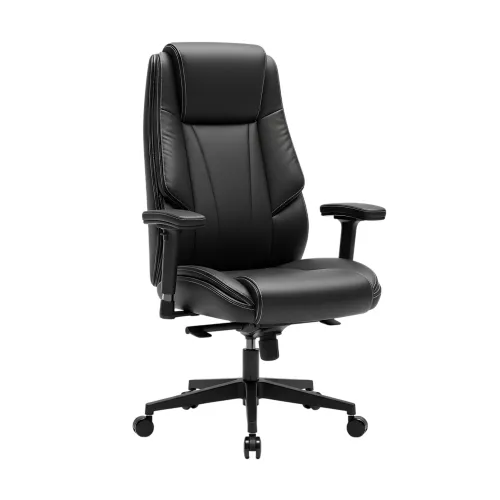
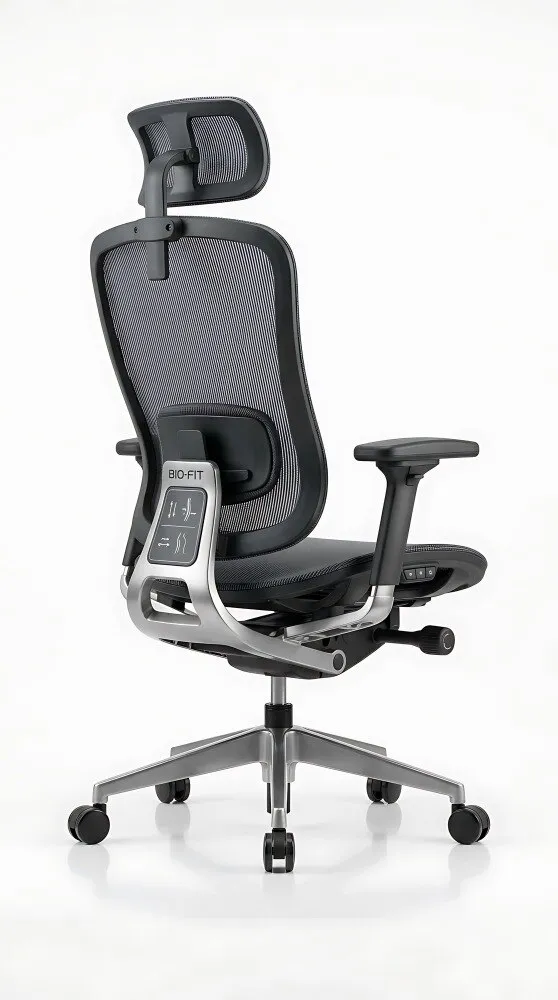
A chair that feels acceptable for ten minutes can still leave your shoulders unsupported, your knees compressed, or your backrest unusable beside a bed or compact desk. By checking the back height, mesh construction, fit, adjustments, working posture, and room constraints, you can decide whether this chair suits your home routine in Thane.
Key takeaways
- Set the seat height so your feet rest flat and elbows stay near desk height.
- Use the backrest for shoulder support, not just lower-back contact.
- Adjust your posture between typing, reading, and video calls.
- Measure doorways, desk clearance, and chair footprint before delivery.
What the high back supports during laptop work and calls
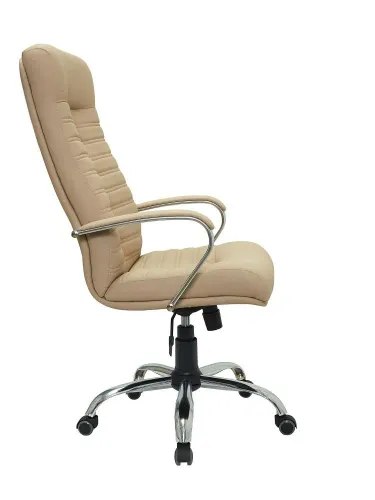
A high back design supports more than the waist: it gives your shoulders and upper back a broader contact area when you type on a laptop, read, or lean back during a video call.
This reduces the effort of holding your torso upright for extended periods, but it does not correct a desk that is too high or a screen that forces your neck down.
During calls, the upper-back support helps you stay reclined without collapsing into a slouch. During reading, it lets you change position and rest against the chair instead of balancing forward over the book or screen.
A high back is not automatically better; a rigid or poorly shaped frame can push your shoulders forward, while excessive height adds bulk in a compact room.
Treat the phrase matrix high back mesh for office chair in Thane as a style description, not proof of ergonomic quality. For a high back mesh chair for home, test the chair with your normal clothing and desk setup. Check:
- The lower back receives support without a lumbar pad pressing too high or too low.
- The mesh stays in contact with your back instead of sagging away.
- The seat leaves two to four finger-widths behind your knees.
- Your feet rest flat while the armrests let your shoulders relax.
Mesh may keep your back cooler, but a warm seat cushion and static sitting can still create discomfort.
How mesh changes the chair’s everyday performance
A breathable back does not guarantee a cool workday. Your clothing, the seat cushion, desk height and static sitting time still determine comfort, so test a mesh office chair for home at your normal desk while wearing everyday work clothes.
| Material | Airflow and pressure | Cleaning, snagging and wear |
|---|---|---|
| Mesh | Best airflow; spreads pressure through its tension, but a tight edge or loose weave can press or sag | Vacuum dust and wipe carefully; keys, zips and pet claws can snag it; inspect for stretched or broken strands |
| Fabric | Warmer than mesh and softer against skin; padding can reduce pressure well | Holds dust and stains; resists small snags better than open mesh, but can flatten or wear at the front edge |
| Foam-upholstered | Little airflow; thick foam cushions pressure but compresses with use | Spills penetrate unless protected; upholstery can stain, flatten and develop a permanent seat hollow |
| Plastic | Air moves around the shell, not through it; hard surfaces create concentrated pressure | Easy to wipe and difficult to snag; scratches, brittleness and discomfort increase during long sessions |
| Leatherette | Traps heat against your back and thighs; padding controls pressure | Wipes clean quickly, but sunlight, heat and flexing can cause peeling or cracking |
Mesh is the better choice for ventilation only when its seat does not trap heat and its fabric stays evenly tensioned. Check the underside and front edge for fraying, sit for at least ten minutes, and keep a footrest available if raising the chair to reach the desk leaves your feet dangling.
How to fit the chair to your body and desk
Test the chair in your normal clothing at your actual desk height. A high back mesh chair for home fits when your feet are supported, your back reaches the backrest, and you can approach the desk without leaning forward.
- Set seat height so both feet rest flat on the floor or a footrest, your thighs are nearly horizontal, and your knees sit level with or slightly below your hips. Dangling feet create pressure behind the knees.
- Sit fully back and check seat depth: leave about two to four finger-widths between the seat edge and the back of your knees. Too much depth loses lumbar contact; too little removes thigh support.
- Adjust lumbar support to the inward curve of your lower back. The backrest should support your shoulders and upper back without forcing you upright.
- Set armrests so your shoulders stay relaxed and elbows remain close to your sides. If the armrests stop the chair reaching the desk, lower them or choose adjustable arms.
- Position the headrest behind the back of your head, not beneath your neck. It should support you while reclined without pushing your chin forward.
- Raise or lower the screen so its top edge is near eye level, with the screen roughly an arm’s length away.
- Measure desk clearance, chair width, and the maximum reclined footprint. A chair that fits upright can still strike a wall or bed when reclined.
Check these failures before choosing:
| Fit check | Correct result | Warning sign |
|---|---|---|
| Feet and knees | Flat feet; knees level or slightly lower | Feet dangle |
| Back and seat | Lumbar contact; two to four fingers behind knees | You slide forward |
| Desk approach | Arms reach the desk without leaning | Armrests collide with desk |
How to use the chair differently for typing, reading, and calls
Set the chair for the activity: typing needs stable, upright support; reading benefits from controlled recline; calls need relaxed shoulders and steady head support.
1. For typing, set seat height so both feet rest flat and your knees sit near 90 degrees. Keep the backrest nearly upright, set recline tension firm enough to prevent unwanted movement, and position lumbar support at your belt line. Raise the armrests until your forearms are level with the desk without lifting your shoulders.
Keep the headrest just behind your head, not pushing it forward.
2. For reading, keep your feet flat and lower the seat only if the desk is no longer involved. Recline to about 110–120 degrees, reduce tension so the backrest follows you, and retain lumbar contact rather than sliding away from it. Raise the armrests to support relaxed elbows while holding a book or tablet.
Move the headrest forward enough to support your head when you look up.
3. For calls, use a slightly reclined 100–110-degree position with moderate tension. Set lumbar support to prevent slumping, then lower the armrests if they make your shoulders rise. Place the headrest behind the centre of your head during listening, but keep it clear of your neck when speaking.
Recheck seat height before switching back to typing. A mesh office chair for home or any home office chair cannot correct a desk that forces raised shoulders or dangling feet.
What to check before bringing a high-back chair into a Thane home
Measure the room, route, floor, and user before ordering. Choose a room with enough rear clearance for reclining; a bedroom corner beside a bed or a narrow living-room workstation can trap the backrest. Test the chair at your normal desk height and in your usual work clothes, not only in a showroom.
| Check | Confirm | Reconsider if |
|---|---|---|
| Room and floor | Measure chair width, desk clearance, and maximum reclined footprint; use a mat on slippery tile or wood. | The chair fits upright but strikes a wall, bed, or cupboard when tilted. |
| Access | Measure the doorway, lift, staircase turns, and delivery route. | The boxed chair cannot pass, or assembly space is unavailable. |
| Humidity | Keep it away from a damp wall, balcony spray, and direct monsoon exposure; inspect mesh and metal for corrosion protection. | The room stays damp or has visible seepage. |
| Safety | Ask for the tested load rating, five-star base, caster quality, gas-lift details, tilt lock, and stable armrests. | The base rocks, the lift sinks, or the seller gives no specifications. |
| Seller | Confirm seat height and depth, fixed or adjustable lumbar support, recline range, warranty, spare parts, delivery, and return terms. | “Matrix” is the only claimed feature. |
Treat Matrix high back mesh for office chair in Thane as a style or product name, not an ergonomic certification. When comparing a Matrix high back chair in Thane, Shaad Enterprises is one seller to ask for exact dimensions and adjustment details rather than relying on the product name.
Related product
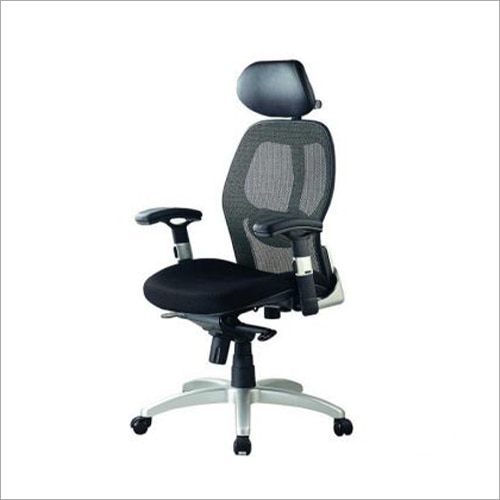 | Office Chairs Matrix High Back Mesh Office Chair Sure — if you want an assembly (make-up) guide specifically for a Matrix High Back Mesh Office Chair that you can use in your business Chirag Steel... View product → |
Frequently asked questions
What does a high-back chair support during laptop work and calls?
It supports the lower back, upper back, shoulders, and head area when you type, read, or recline during calls.
How does mesh affect everyday chair performance?
Mesh improves airflow and reduces heat buildup, while its tension and weave affect support, comfort, and cleaning.
How should you fit the chair to your body and desk?
Set the seat height for flat feet, align your elbows with the desk, position the backrest against your back, and keep the screen at a comfortable eye level.
What should you check before bringing a high-back chair into a Thane home?
Measure the chair, doorway, lift, room, and desk clearance, then check adjustment range, caster movement, mesh condition, and assembly access.
Keywords